
FAQ
Ответы на частые вопросы
What is the Blur card?
Blur is a virtual crypto card that lets you pay for purchases online using your crypto balance. The card works everywhere Visa is accepted.
You top up the card with crypto, and when you pay, the funds are automatically converted to the required currency.
Benefits
- Instant issuance via Telegram
- Payments at any online store
- Apple Pay and Google Pay support
- Manage your card right inside the messenger
- Privacy — your data is never shared with third parties
How do I open a card?
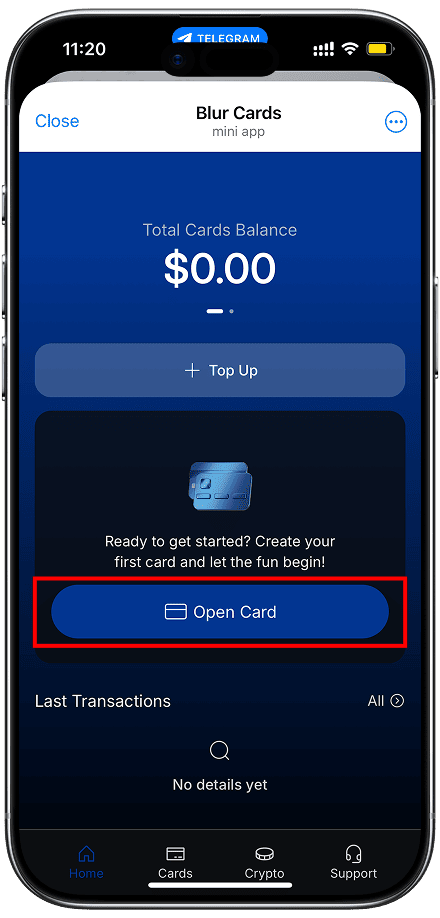
You can open a card in just a few minutes right in Telegram.
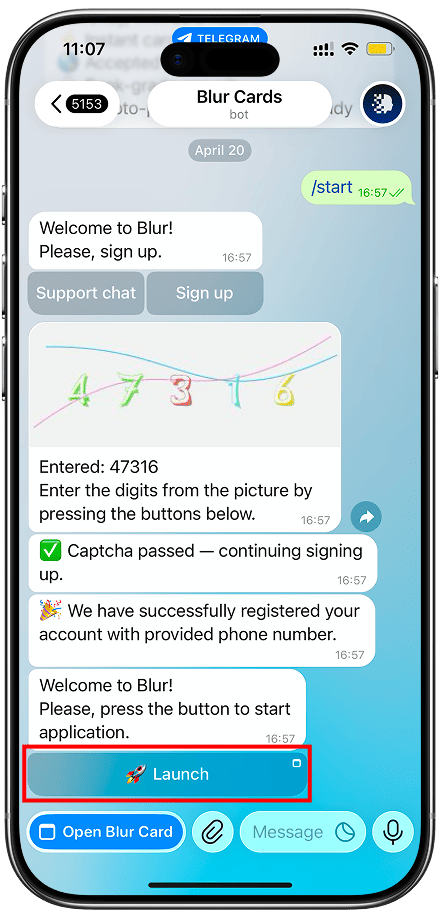
Step 1 — Launch the Mini App
Go to @BlurCards_bot in Telegram and tap "Open App". No registration needed — just your messenger account.
Step 2 — Top Up Your Balance
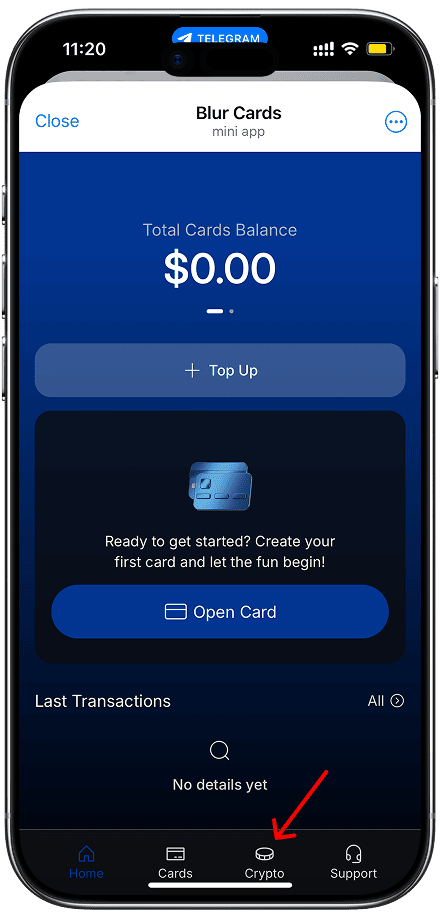
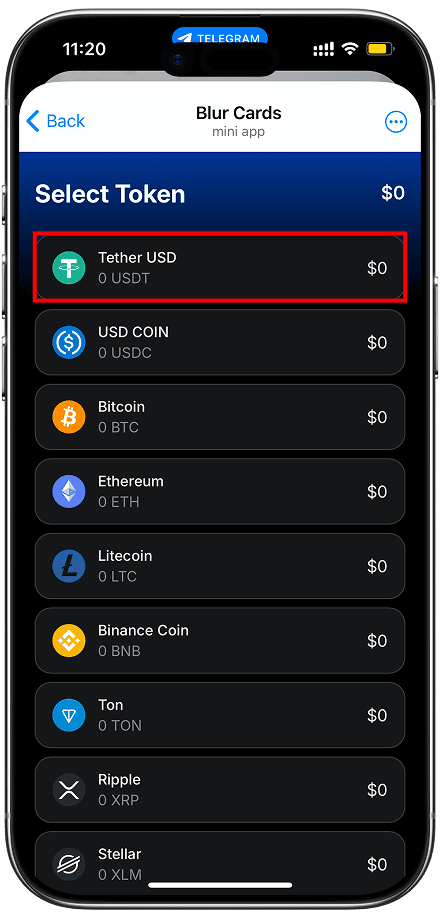
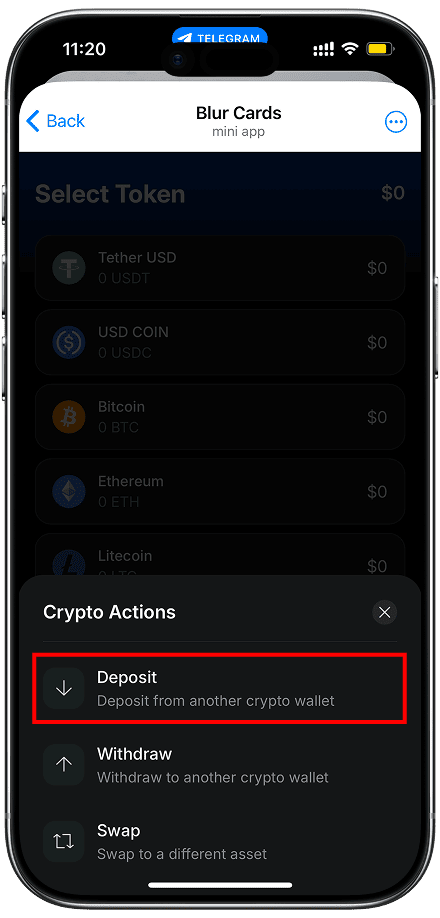
Transfer cryptocurrency to your in-app wallet. USDT, BTC, ETH and other popular coins are supported.
The card balance is topped up in USDT. If you transferred another coin, simply exchange it for USDT inside the wallet.
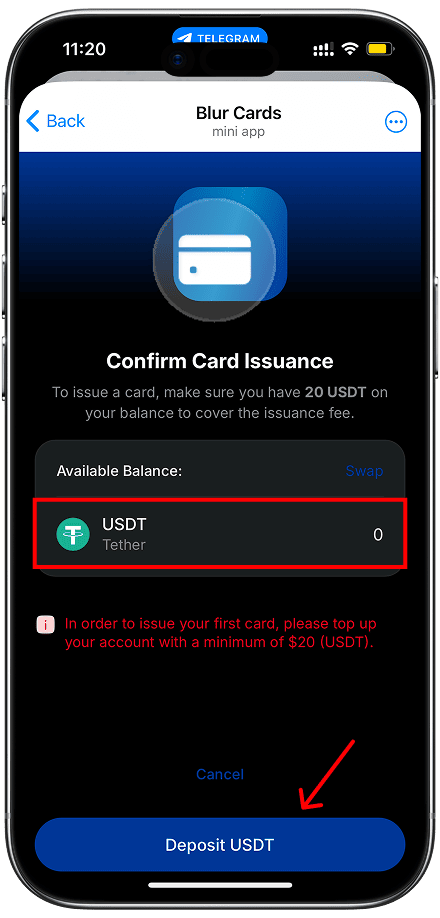
Step 3 — Get Your Card
Top up the card with the required amount in USDT.
After topping up, the card is issued instantly. You will receive the card number, expiry date, and CVV for online payments.
How do I top up?
The card balance is topped up via the crypto wallet inside the Blur app in Telegram.
Card top-up is done in USDT only. You can exchange any coin to USDT inside the Blur wallet.
Supported cryptocurrencies for wallet top-up
- USDT – Tether USD
- USDC – USD Coin
- BTC – Bitcoin
- ETH – Ethereum
- LTC – Litecoin
- BNB – Binance Coin
- TON – Ton
- XRP – Ripple
- XLM – Stellar
- TRX – Tron
- SOL – Solana
Top-up process
Open the "Wallet" section in the app, copy the address of the required network and transfer funds from your external wallet. Crediting happens after network confirmation — usually within a few minutes.
Minimum top-up amount: 10 USDT.
How do I make a payment?
The Blur card works like a regular bank card for online purchases. Use your card details when placing an order on any website.
Payment methods
- Online — enter your card number, expiry date, and CVV on the store's website
- Apple Pay — add the card to your Apple Wallet
- Google Pay — add the card to Google Wallet
Supported currencies
Payment is made automatically in the store's currency. Conversion from USDT happens at the current rate at the time of the transaction.
The card is accepted on most major platforms: Netflix, Spotify, Amazon, Steam, ChatGPT, Apple and others.
What details to enter when paying online
When placing an order, you can enter either your real personal details and delivery address, or any other information — it does not affect how the card works. The key is that your card details are entered correctly and the store accepts the chosen payment method.
What are the fees & limits?
Card cost
- Card issuance: $20 / one-time
- Monthly service: Free
- Card payments: Free
Пополнение
- Fee from USDT wallet: 3.8%
Лимиты
- Daily spending limit – up to $50,000
- Monthly spending limit – up to $150,000
Current rates are always available in the Blur app in Telegram.
How to add to Apple or Google Pay
Apple Pay
Open the "Wallet" app on your iPhone, tap "+" and select "Debit or Credit Card". Enter your Blur card details manually: card number, expiry date, and CVV. Follow the on-screen instructions to confirm.
Google Pay
Open Google Wallet, tap "Add to Wallet" and select "Payment card". Enter your Blur card details: number, expiry date, and CVV. Once added, the card is ready for contactless payments.
Your card details (number, expiry date, CVV) are available in the Blur app in Telegram under card management.
Security & protection
The Blur card is built with privacy as a priority. We do not store users' personal data or share it with third parties.
How your funds are protected
- CVV is generated dynamically for each card
- All transactions go through secure channels
- The card can be instantly blocked in the app
- Notifications for every transaction in Telegram
What to do about suspicious transactions
If you notice an unauthorised payment — immediately block the card in the app and contact support via @BlurCards_support.
What to do if your Telegram account is lost or hacked
If you have lost access to your Telegram account or suspect a hack, contact support immediately. We will temporarily block the cards, record the request, and transfer funds from the card balance to a secure internal balance pending the completion of the review.
How access recovery works
If the request comes from the linked account — funds are reserved, cards are closed, and after access is restored the balance is returned to the crypto account.
If the request comes from a new account — we may request data from the old account to confirm ownership. After verification, funds are reserved until recovery is complete.
If access to the old account is completely lost — it may be possible to transfer funds to a new account after additional identity verification. In some cases, a waiting period may apply for security purposes.
How do I contact support?
Our support team works daily and is ready to help with any question about your card, balance, or payments.
Contact methods
- Telegram: @BlurCards_support
- In-app: the "Help" section in Blur Mini App
Response time
Average response time — up to 2 hours on business days. Response times may be longer on weekends.
Write to support →